- 5月 18 週一 200916:41
25 Tools 2009: A Toolbox for Learning Professionals
- 3月 26 週四 200901:21
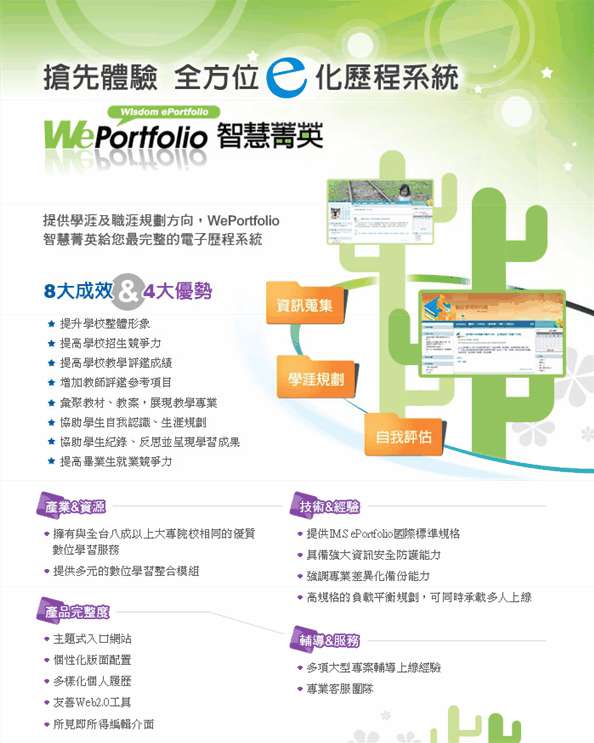
全方位e化歷程系統WePortfolio
- 8月 01 週五 200801:34
SkyBoard輕鬆安裝

- 7月 15 週二 200811:19
旭聯科技贈新竹教育大學遠距教學軟體(SkyBoard)
- 6月 24 週二 200811:10
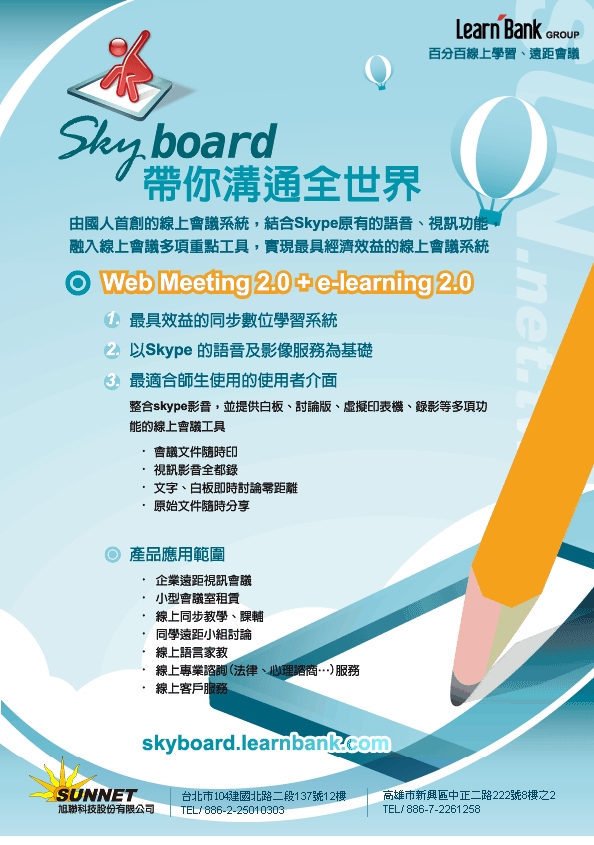
體驗最棒的同步系統!Skyboard帶你溝通全世界
- 5月 29 週四 200807:00
25 Tools every Learning Professional should have in their Toolbox - and all for FREE!
By Jane Hart, Head of Centre for Learning & Performance Technologies
to appear in e.learning age magazine, April 2008
資料來源 http://www.c4lpt.co.uk/articles/25tools.html
Whether you are a corporate trainer, a Learning & Development manager, a learning designer or developer, or an educator in a school, college or university, these are the 25 must-have tools. What is more they are all free, which makes them very useful for those on a low (or non-existent) budget or simply for experimentation and exploration of the widening e-learning space.
These tools have been taken from the Top 100 Tools for Learning 2008 list compiled from the Top 10 Tools lists of over 150 learning professionals worldwide and are a mix of personal productivity tools (for managing personal learning) as well as authoring tools (for creating learning solutions). Many of them are Web 2.0 tools that promote a social, collaborative, sharing approach to learning.
This article has now been used as the basis for a professional development programme. Select the Tool link to find out more about the tool and why it is so popular with learning professionals, or else the How to link to go to the relevant Tool in the 25 Tools Programme. More about the 25 Tools resource here: 25 Tools.
Firefox plus extensions - a web browser - Tool | How to
This is clearly an essential tool; it is your "window on the web" and the basis of everything you do. But Firefox is more than a browser; the hundreds of extensions available provide an enormous range of extra functionality not found with other browsers.delicious - a social bookmarking tool. - Tool | How to
Don't store your bookmarks in your browser any longer, but online, where you can tag (i.e. categorise) them and share them with others, e.g. project resources with colleagues, teaching/training resources with students.Google Reader - an RSS reader - Tool | How to
Keeping up to date with your subject can mean scanning many websites and blogs on a regular basis. But with an RSS reader you simply subscribe to the sites' news feed and the news is delivered automatically to you. Effortless!gMail (or Google Mail in the UK) - Webmail - Tool | How to
No more worrying about an email client on your desktop and dealing with spam and viruses, gMail provides you with a more efficient emailing service with tons of free storage space.- Skype - an instant messenger - Tool | How to
In today's fast moving world, we all want instant answers. Skype provides an easy way of not only text messaging your online contacts but also free computer-to-computer voice calls - with low charges out to landlines. Google Calendar - an online calendar - Tool | How to
Don't keep your calendar to yourself, share it and make scheduling events an easier process.Google Docs - an online office suite - Tool | How to
Do you need to work on documents with your team, colleagues or others? Google Docs provides a suite of online tools to create and edit textual documents, spreadsheets and presentations. And if you don't want to give up using Microsoft Office completely, these can all be uploaded into Google Docs when you want to share themSlideshare - a presentation sharing tool - Tool | How to
If you create presentations in PowerPoint or Keynote, then you can host them, tag them and share them online with Slideshare. You can make them privately available if you don't want the whole world to see them, and you can even synchronise them with an audio file to create a narrated presentation.flickr - an image hosting and sharing tool - Tool | How to
An image is worth a thousand words! If you are looking for a place to host your personal or professional picture collection, to tag them and share them with friends, colleagues and others, then this is the place to do it.Voicethread - a collaborative slideshow tool - Tool | How to
Using PowerPoint presentations or flickr images you can create an audio slideshow and audio comments can also be left by others.Wordpress - a blogging tool - Tool | How to
Blogging can be both a personal or professional activity. Many people say that they have learnt more by blogging (and hence reflecting upon things) than by any other means. Wordpress makes creating a blog very easy, and there are many plugins available to embed resources like flickr images, Slideshare presentations, and so on into it.Audacity - an audio/podcasting tool - Tool | How to
This downloadable tool makes recording and editing audio very simple, and with the extra encoder you can convert your audio files into MP3 podcasts.YouTube - a video hosting and sharing tool - Tool | How to
Videos can now be easily created using webcams, camcorders and even mobile phones. You can then upload them into YouTube and share them with others. Simply point your users to the pages where they are to be found or else embed them in your blog or website.Jing - a screencasting tool - Tool | How to
This is an ?/font>always-ready? program that instantly captures and shares images and video.PBwiki - a wiki tool - Tool | How to
Another collaborative tool; this one for setting up editable websites. Wikipedia is, of course, the best example of how to use a wiki and develop content collaboratively with your users. But a wiki tool can be used for many different collaborative purposes.PollDaddy - a polling tool - Tool | How to
Want to get some quick feedback from your people? Set up a poll, embed the poll widget in your blog or website and then track responses on the PollDaddy site.Nvu - a web authoring tool - Tool | How to
Although blogging tools are the quickest way to get a web presence, you may want to create a website that is not structured chronologically. Nvu is a versatile new tool to let you do that.Yugma - a web meeting tool - Tool | How to
For small meetings of up to 10 meetings, Yugma is free. You can whiteboard, annotate and share files. You can even use Skype to connect.Ustream - a live broadcasting tool - Tool | How to
Probably The Next Big Thing - live interactive video broadcasting to a global audience. All it takes is a camera and an internet connection.Ning - a (private) social networking tool - Tool | How to
You may already belong to a public social network like Facebook, but Ning lets you create and customise a private network for a group of like-minded people, large or small.Freemind - a mind mapping tool - Tool | How to
For organising your thoughts or just brainstorming.Moodle - a course management system - Tool | How to
Run it on your PC to try it out and see its potential! You might then consider using it to host a complete course or program or simply to provide the user authentication mechanism to access training materials. If you can't install it in-house then there are low-cost hosting solutions available.eXe - a course authoring tool - Tool | How to
A tool to create SCORM-compliant training material that doesn't require you to be proficient in HTML or XML markup. It works within Moodle too, of course.iGoole - a personal start page tool - Tool | How to
Aggregate all your resources, mail, RSS feeds, videos, in one place.And finally, twitter - a microblogging tool - Tool | How to
Probably not for everyone, but if you want to stay in touch with people no matter where you are or what youe doing, then Twitter's for you!
- 9月 03 週一 200701:05
蔚為風潮的Web視訊服務
| 以Webex為例,近幾年該公司在亞太區的成長十分快速,今年又投入大筆預算拓展市場,也有越來越多廠商開始推出類似的服務。 |
Web介面的視訊會議服務,有點類似將視訊會議以租賃的方式委外的服務,透過網路讓企業內的員工隨時隨地能夠參與視訊會議並且進行協同作業等功能。其中視訊服務供應商Webex(網迅通訊),更是此類服務最成功的公司之一。Webex最近在亞太區的銷售大幅成長,去年在亞太區的營收就成長了50%,該公司目前在全球也已經擁有2,200萬個註冊用戶。Webex在被思科(Cisco)收購後,最近也開始大規模拓展本身在臺灣的企業用戶市場。不過他們提供的租賃式視訊會議服務,目前在臺灣仍以大型企業客戶使用居多。 資料來源:iThome |
